A tournament in minutes
Everything for a tournament in the app: entries, the draw, the bracket and results. Ranking points are added automatically after the tournament.
15
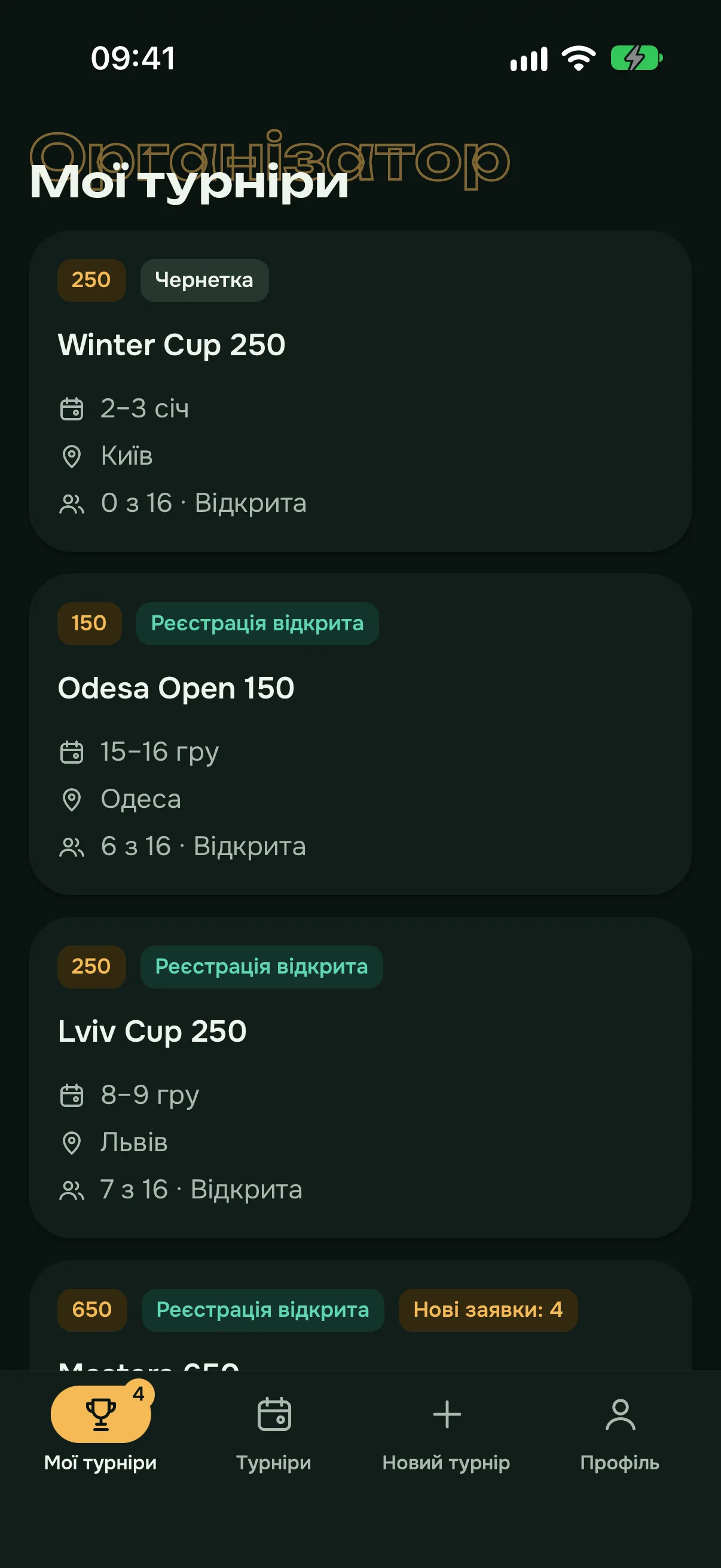
Create a tournament and open registration
Name, level, category, format, dates, city and venue. When it is ready, you publish the tournament and players can enter.
- Two formats. Single elimination, or groups with playoffs.
- All the terms in one form. Match format, player level limits, the maximum number of players.
- The role needs approval. You apply for the organizer role in the app, and the platform reviews it.
30
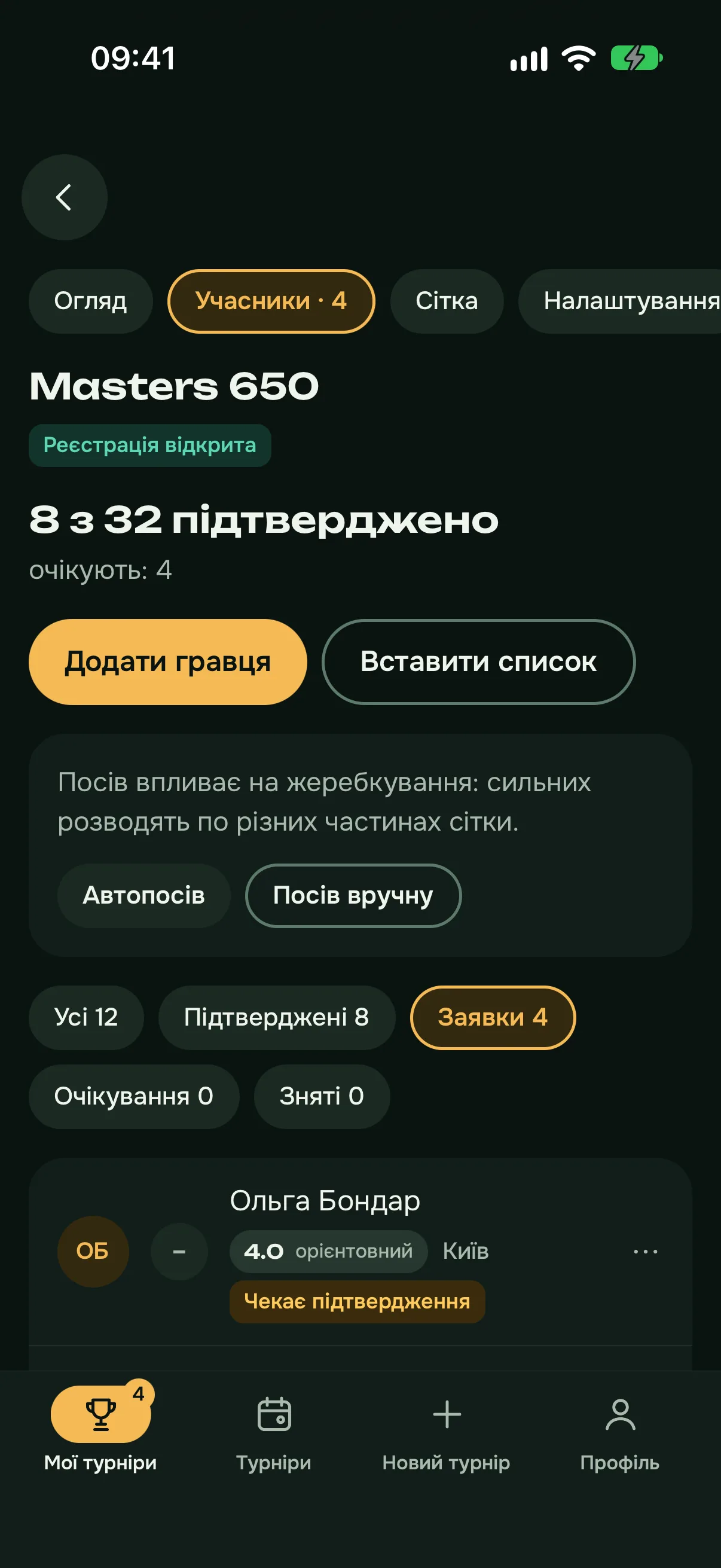
Accept entries and build the field
You get a notification about every new entry. Confirm the player or keep them on the waitlist.
- Entries from players. Confirm, waitlist or withdraw them.
- Add players yourself. Find a person in Tennis GOTour or add a guest without an account.
- A list of names. Paste it in one go and see what was recognised before you add it.
40
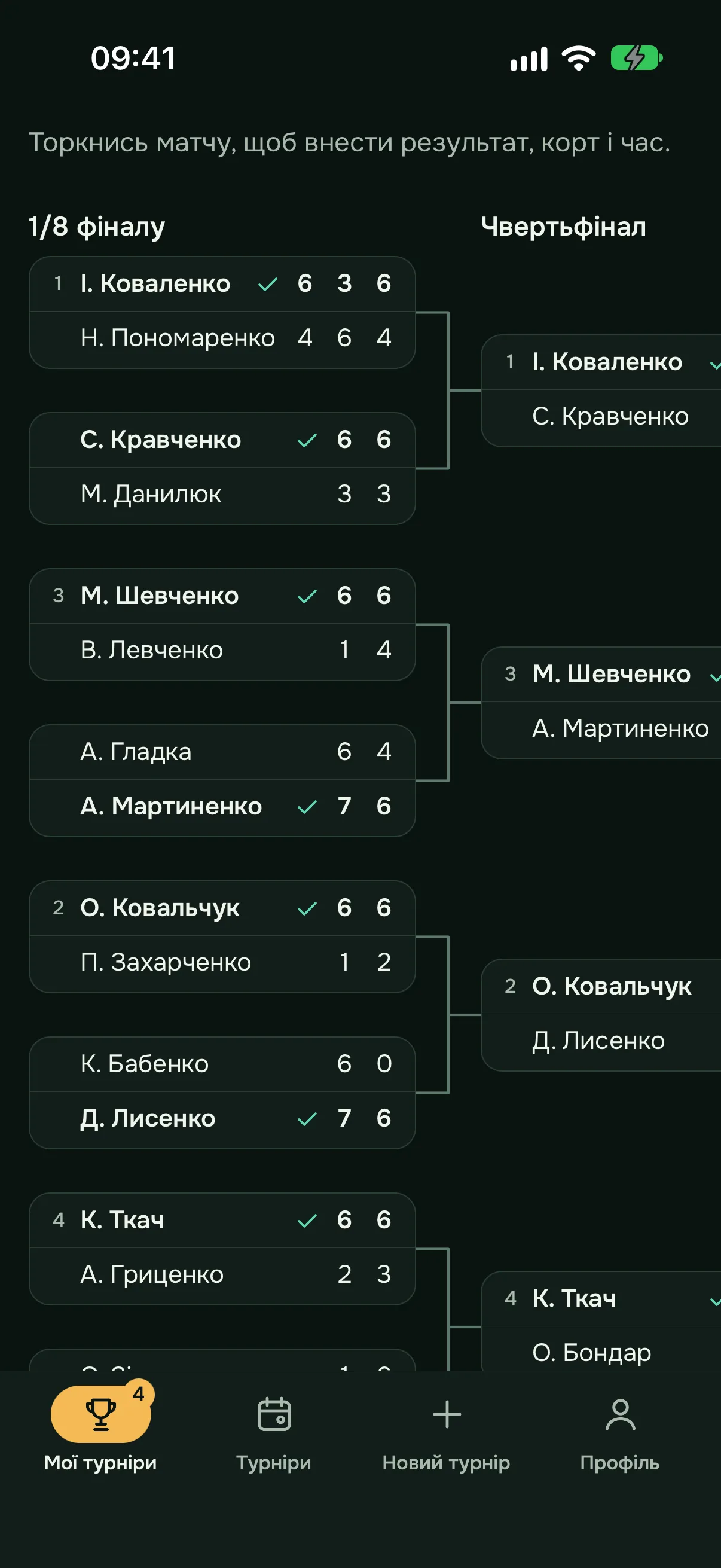
The draw, results, points
Automatic or manual seeding, the draw, the score of every match. When you complete the tournament, the places are fixed and the ranking points are awarded.
- The draw. Shuffle it again, swap two players, or run the playoff for groups.
- Results. Played, a player retired, or a walkover. You can set a court and time for a match.
- Ranking points. Added automatically when you complete the tournament.
What the app gives an organizer
Everything for a tournament is in one app. Players see your tournament and enter themselves; read more on the page for players. See what tournaments look like in the tournament list.
- The organizer role
- You apply in the app and the platform approves it. You can also sign up as an organizer right away, without a player profile.
- Creating a tournament
- Level, category, format (single elimination or groups with playoffs), match format, dates, city, venue and limits.
- Publishing and entries
- Publish the tournament and players enter themselves. You get a notification about every entry.
- The field
- Confirm entries, add players and guests, or paste a list of names.
- Seeding and the draw
- Automatic or manual seeding. Stronger players are placed in different parts of the bracket, and the result can be reproduced and verified.
- Results
- Played, a player retired, or a walkover. You can set a court and time for every match.
- Completion and points
- Places are fixed and ranking points are added automatically. The platform suggests a scale by tournament level, and you can adjust it within the allowed limits.
A draw in one tap
Try it with an example of eight players. Seeds 1 and 2 are always in different halves, seeds 3 and 4 in different quarters. The rest are placed at random.
Top halfBottom half
- 1Olena Hnatiuk4.6
- 2Marko Savchuk4.4
- 3Iryna Boiko4.1
- 4Andrii Melnyk4.0
- Sofiia Koval3.7
- Taras Lysenko3.6
- Yuliia Tkachuk3.4
- Bohdan Shevchuk3.2
The draw number fully determines the bracket, so you can reproduce and verify the result.
Rules for organizers
- The platform approves organizers
- Only someone we have checked can run a tournament.
- The draw is transparent
- Stronger players are placed in different parts of the bracket. The result can be reproduced and verified.
- The organizer enters the score
- Once a tournament is counted, a result cannot be changed without the platform.
- The ranking is protected against gaming
- Non-standard points are confirmed by the platform. A dishonest organizer is disqualified.
Run tournaments, GO
Download the iPhone app, choose "Organizer" and send a request. Once the platform approves it, the organizer role opens.
The app is free for now. Paid subscriptions are planned later, and we will tell you well in advance.